The school year you planned, on one page.
You are the principal, the teacher and the bus. Put the year on one screen: the terms and the breaks, co-op on Tuesdays, the field trips, the standardized test in April, the portfolio review in May. Then run the day from the Day planner, with the routine ticked off beside it and the hours by subject adding up for the record.
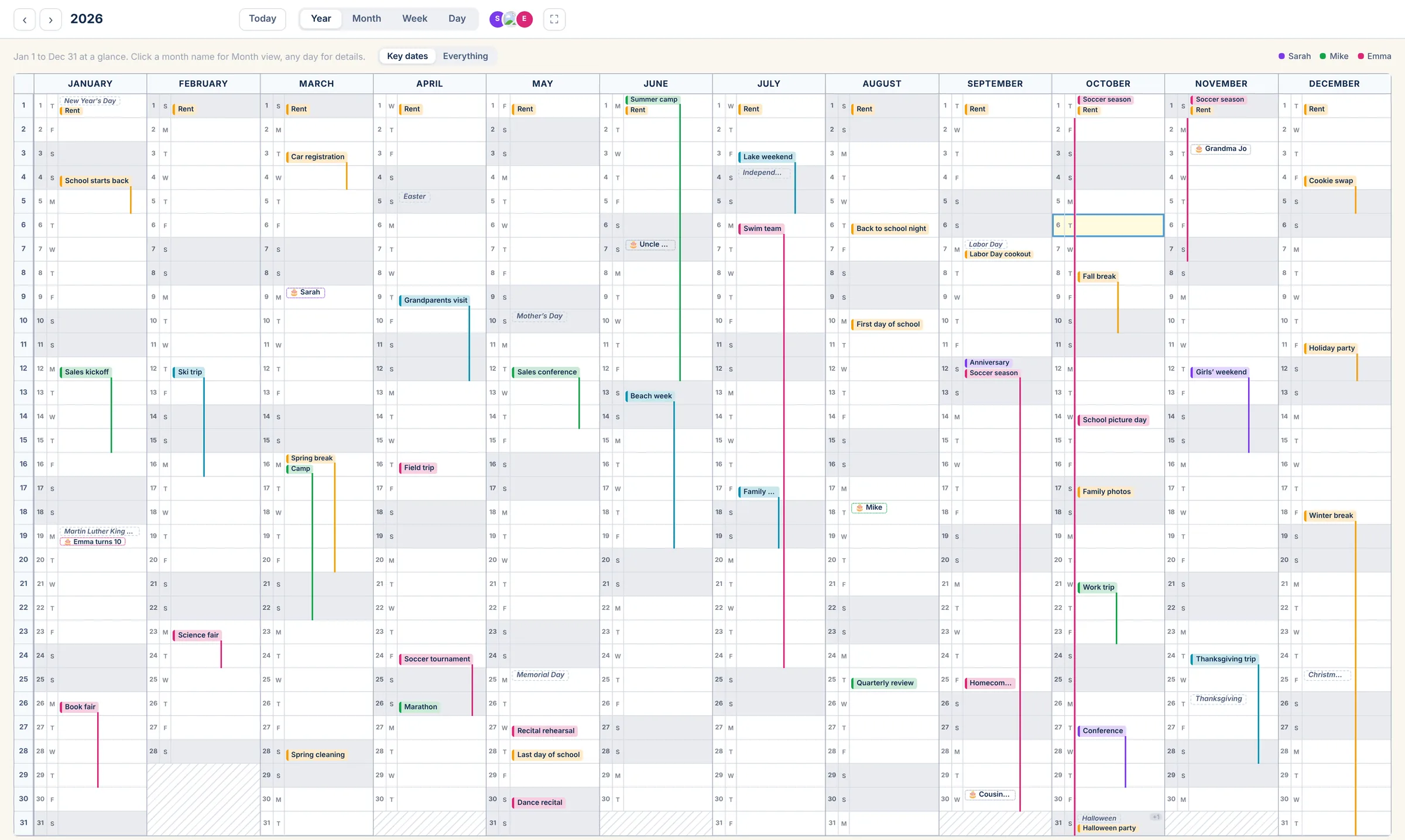
Terms, breaks and the big days, visible from August.
Lay the school year out once: term dates, the weeks off, co-op, the museum trips, the science fair, testing. Each kind of day gets a color. The everyday stays hidden on the Year view until you flip it to Everything, so what you see is the shape of the year.
- Multi-day events (a unit study, a break, a trip) draw as one line down the month
- Repeat events for co-op, music lessons and sports seasons
- Holidays of your choosing, birthdays with ages worked out
The routine, in order, beside the weather.
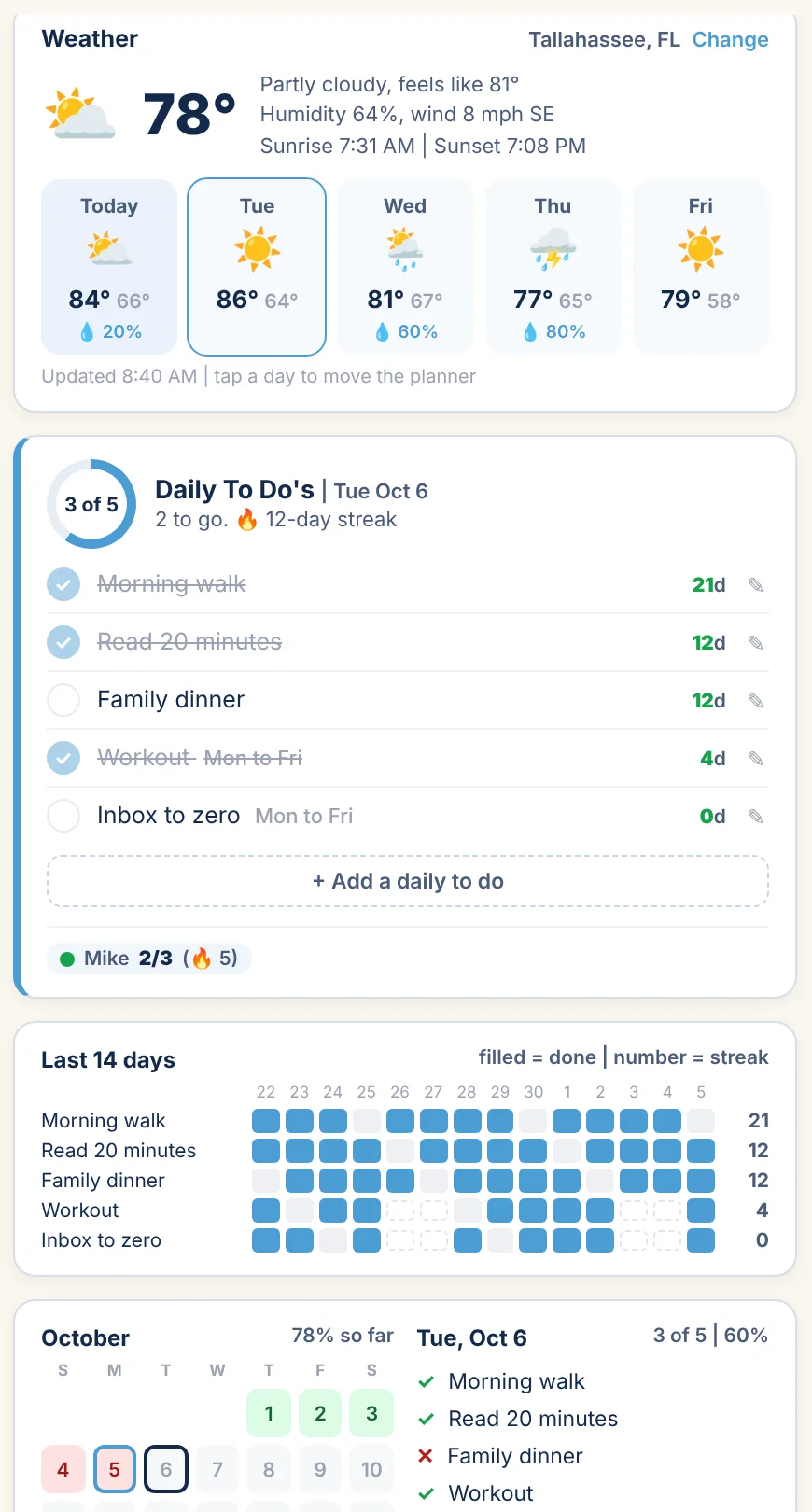
Morning basket at 8:30, math at 9, read-aloud after lunch. Timed blocks on the Day planner, dragged to move when the morning goes sideways. Daily To Do's beside it for the things that happen every school day: the read-aloud, the handwriting page, the walk. A streak each, and the last two weeks filled in underneath.
- Slots of 15, 30 or 60 minutes, your school day's start and end
- A block ticked done stays on the record
- The weather for your town, for the day you planned outside
The record, kept as you go.
Give each subject its own category and a goal in hours. Every block you tick counts toward it; the Dashboard shows where each subject stands for the month and the year.
Categories
Math, Language arts, Science, History, Art, PE, Co-op. A color each, so the week reads at a glance.
Goals
Set the hours you mean to reach per week or per year, by subject. The bar fills as blocks are ticked done.
The record
When the state, the umbrella school or the evaluator asks, the hours are already counted, by subject, by month.
One calendar, a few kinds of things.
Events
Lessons, co-op, field trips, appointments. On the calendar, with reminders on your phone.
Tasks in My Work
Order the next math book. Register for the spring test. Scan the portfolio. Four trays: Due Today, By End of Week, Not Time Sensitive, Assigned to me.
Outlook and Google
Your co-op's shared Google calendar or the church's Outlook one can come in, bring-in only, and sit beside your own.
Their own lists, on the Family plan.
On the free plan the calendar is yours. Move up to Family and each child gets My List: today's lessons and chores with big checkboxes on a tablet, a name and a PIN instead of an email, and a chores chart you run from your side. About kids on MyAnnualCalendar.
The Individual plan.
Free for one person, with every view and My Work. Every plan has the Year, Month, Week and Day views, Outlook and Google sync, reminders, My Work and Daily To Do's.
Individual
Forever
- Just you
- Every view, Year to Day
- Outlook and Google sync
- My Work, Daily To Do's and weather
More under Individual: Just you Daily To Do's Outlook and Google | All plans
The school year, on one screen.
Coming soon. Free for one person; Family when the kids join in.