Seven days, hour by hour.
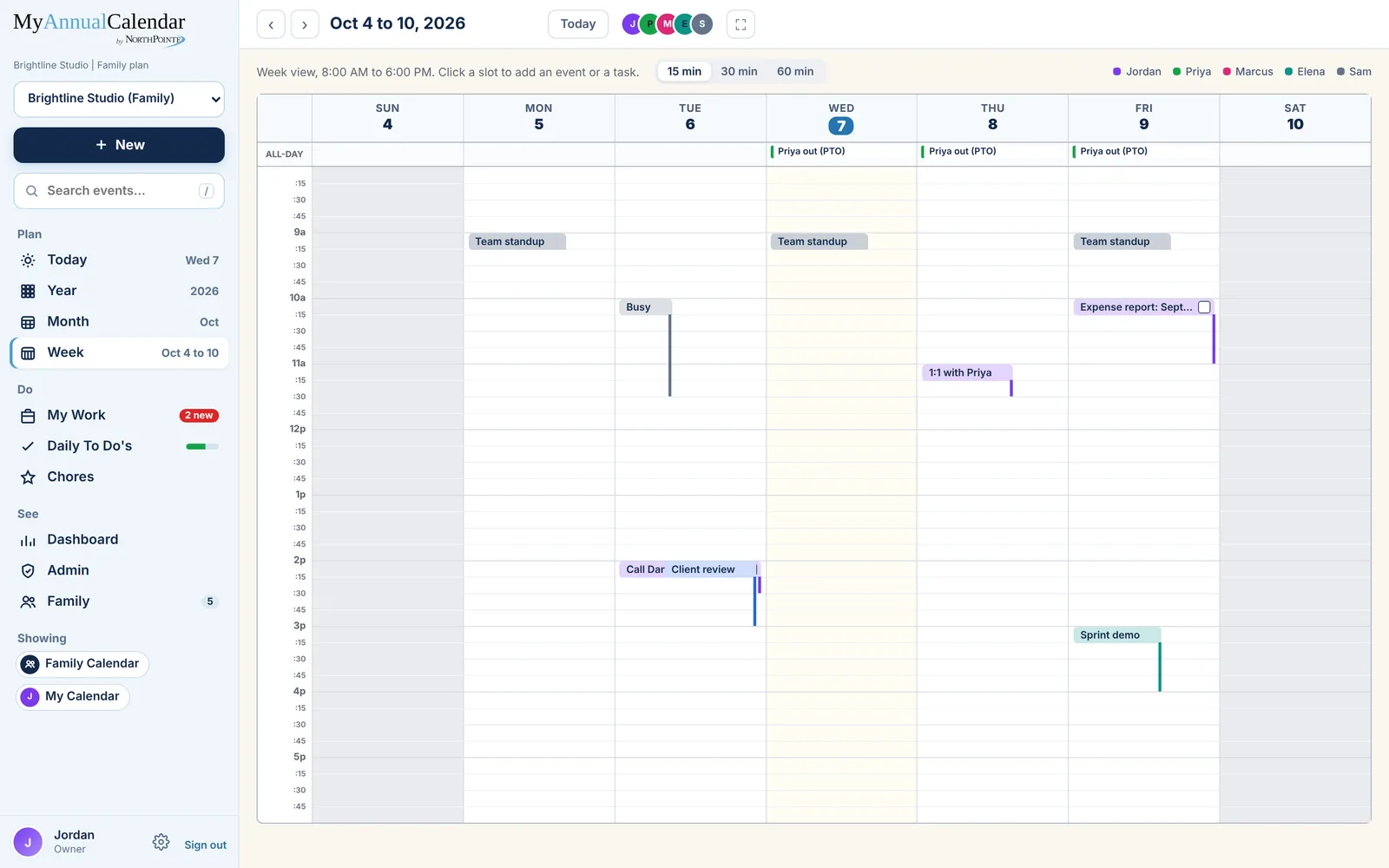
The week as a grid of time, with an all-day row across the top. Drag an event to a new time or day, drag its bottom edge to make it longer, and click an empty slot to add something there.
Fifteen, thirty or sixty minutes.
Pick the slot size that fits how you plan: 15 minutes for a packed day, 60 for the big picture. Start the week on Sunday or Monday, and set the hours the grid shows (6 AM to 10 PM to start; an event outside them still shows and the grid stretches to include it).
- Drag to move; drag the bottom edge to change the length
- A task you scheduled from My Work shows with its checkbox; tick it here and it is done there too
- Others' private events show as Busy
The team or the family, side by side.
One grid, every person
The people chips at the top show whose events you are looking at. Turn someone off to see your own week clear.
The all-day row
Trips, PTO and chores with no set time sit above the grid, out of the way of the hours.
Today, marked
Today's column is tinted and the current time draws a line across it in Day view.
The Individual plan.
Free for one person, with every view and My Work. Every plan has the Year, Month, Week and Day views, Outlook and Google sync, reminders, My Work and Daily To Do's.
Individual
Forever
- Just you
- Every view, Year to Day
- Outlook and Google sync
- My Work, Daily To Do's and weather
More under Views: Year Month Day planner | All plans
See your week.
Coming soon. Free for one person; five days free for everyone else.