What got done, added up.
Ticked tasks leave the trays but stay a tap away. Done this week opens them, with counts for the week, the month and the year, a search, and Not done to put one back. The Dashboard turns the week into numbers you can read in a glance.
Out of the way, not gone.
The drawer lists what you finished, newest first, with when, and the tray it came from. Search finished tasks by name when someone asks "did we ever...". Any task can be un-done from here.
- This week, this month, this year: three counts at the top
- Removed by mistake? Undo from the toast puts it back
- Tasks done by week, the last seven weeks, on the Dashboard
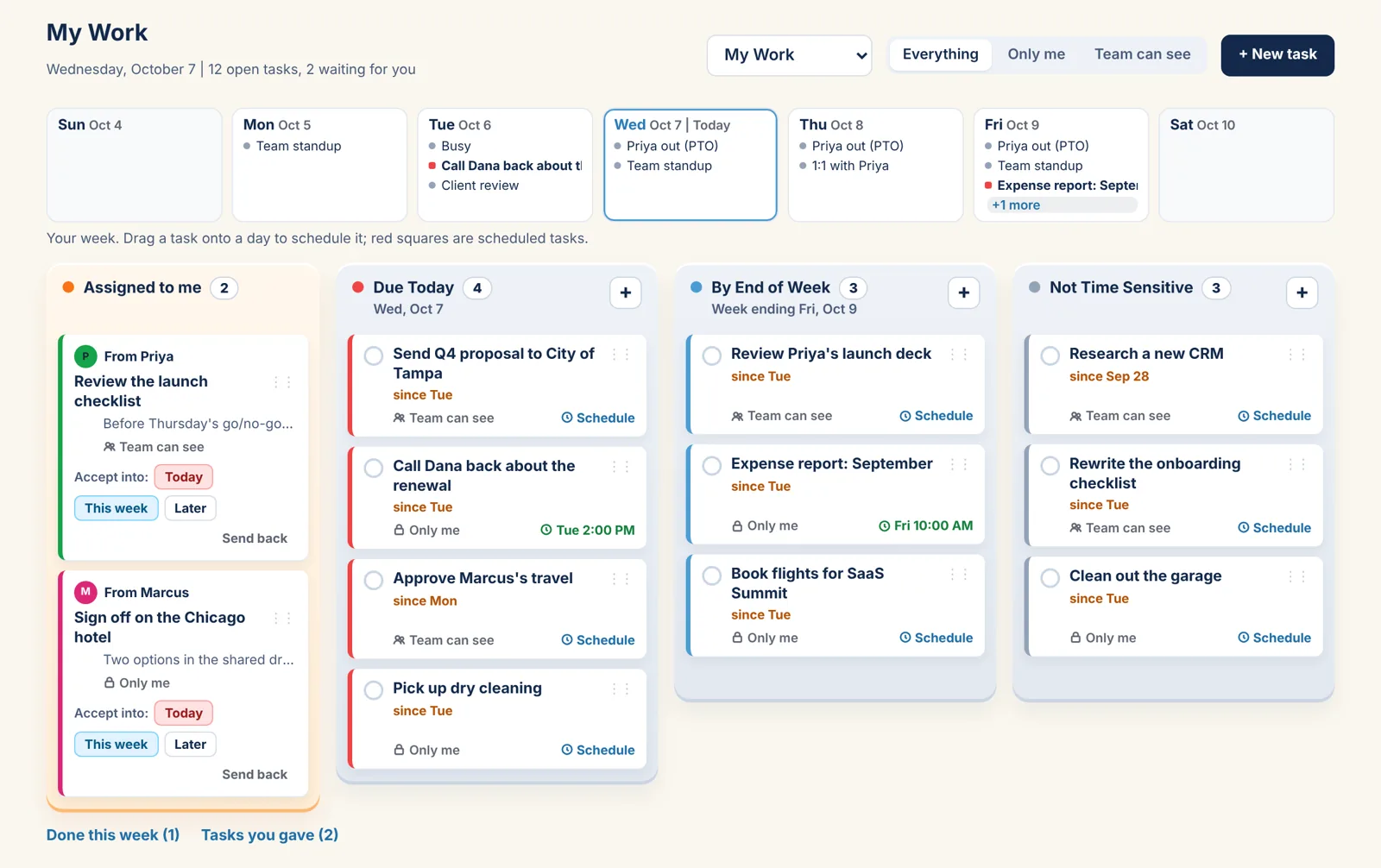
Four tiles for your work.
Beside the calendar's numbers, the Dashboard has a My Work row.
Done this week
With this month beside it, and a bar for the share of what was due.
Overdue and Due today
Due Today or By End of Week, still open; and today's count with how many are on your calendar.
Waiting on others
Tasks you gave that are not done yet. One number, so you know whether to follow up.
Just yours.
Group your tasks by category, for example one per client. Only you see your list; a task you give someone arrives without a category and they pick from their own.
Done this month by category
A Dashboard card shows where the month's work went.
A color each
Pick a color per category; the card shows it.
Not the event categories
Event categories (Work, Home, School) belong to the account and add up hours. Task categories are yours and count tasks.
The Individual plan.
Free for one person, with every view and My Work. Every plan has the Year, Month, Week and Day views, Outlook and Google sync, reminders, My Work and Daily To Do's.
Individual
Forever
- Just you
- Every view, Year to Day
- Outlook and Google sync
- My Work, Daily To Do's and weather
More under My Work: The four trays Giving and receiving Onto your calendar | All plans
See what got done.
Coming soon. My Work is on every plan, the free one included.