Hand it over. See where it stands.
Any adult on the account can give a task to any other. It lands in their Assigned to me tray with your name on it. They accept it into Today, This week or Later, or send it back. You see which, under Tasks you gave, without asking.
For: someone else.
New task, pick the person under For, name it, add a note if it needs one. It goes to their Assigned tray and their rail shows a red count until they deal with it. You choose whether the task is Only me (between the two of you) or Team can see.
- Works on a Family account too: a chore-sized job for a teen, a task for the other parent
- Entrepreneurs: a step from a client's Client Work can go to your own My Work with one tap
- You can take a task back while it is still waiting
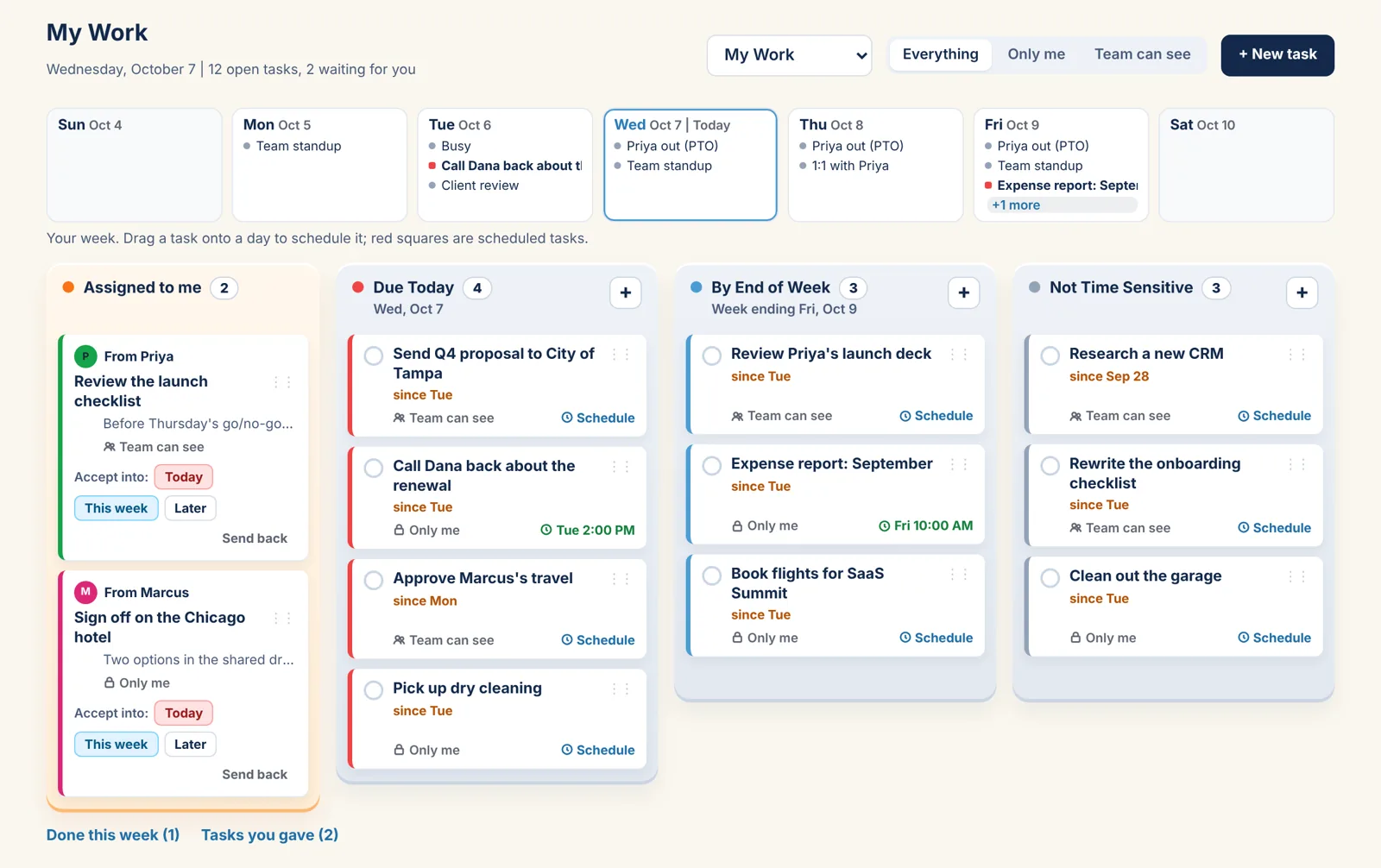
Accept, or send it back.
Accept into a tray
Today, This week or Later, from the card or by dragging it. After that it is yours like any other task: schedule it, tick it, move it.
Send it back
It returns to the giver's Assigned tray, marked "Sent back by" you. They can keep it, give it to someone else or remove it.
Tasks you gave
The giver's list: accepted, sent back or done, per task. The Dashboard's Waiting on others counts the ones still open.
The Individual plan.
Free for one person, with every view and My Work. Every plan has the Year, Month, Week and Day views, Outlook and Google sync, reminders, My Work and Daily To Do's.
Individual
Forever
- Just you
- Every view, Year to Day
- Outlook and Google sync
- My Work, Daily To Do's and weather
More under My Work: The four trays Onto your calendar Done and the Dashboard | All plans
Hand a task over.
Coming soon. My Work is on every plan, the free one included.