Your week, and the tasks that come your way.
On the team's account you see the shared calendar and add to it, keep your own calendar, and get My Work: four trays for your tasks, a tray for the ones people give you, and a week strip to put them on your calendar.
It lands in Assigned to me.
When someone on the team gives you a task, it shows up in your Assigned to me tray with their name on it, and the rail shows a red count until you deal with it. Accept it into Today, This week or Later, and it is yours like any other task. Or send it back, and they see it came back.
- Nothing moves on its own: a task stays where you put it
- A note on the task travels with it
- The giver sees accepted, sent back or done, nothing else
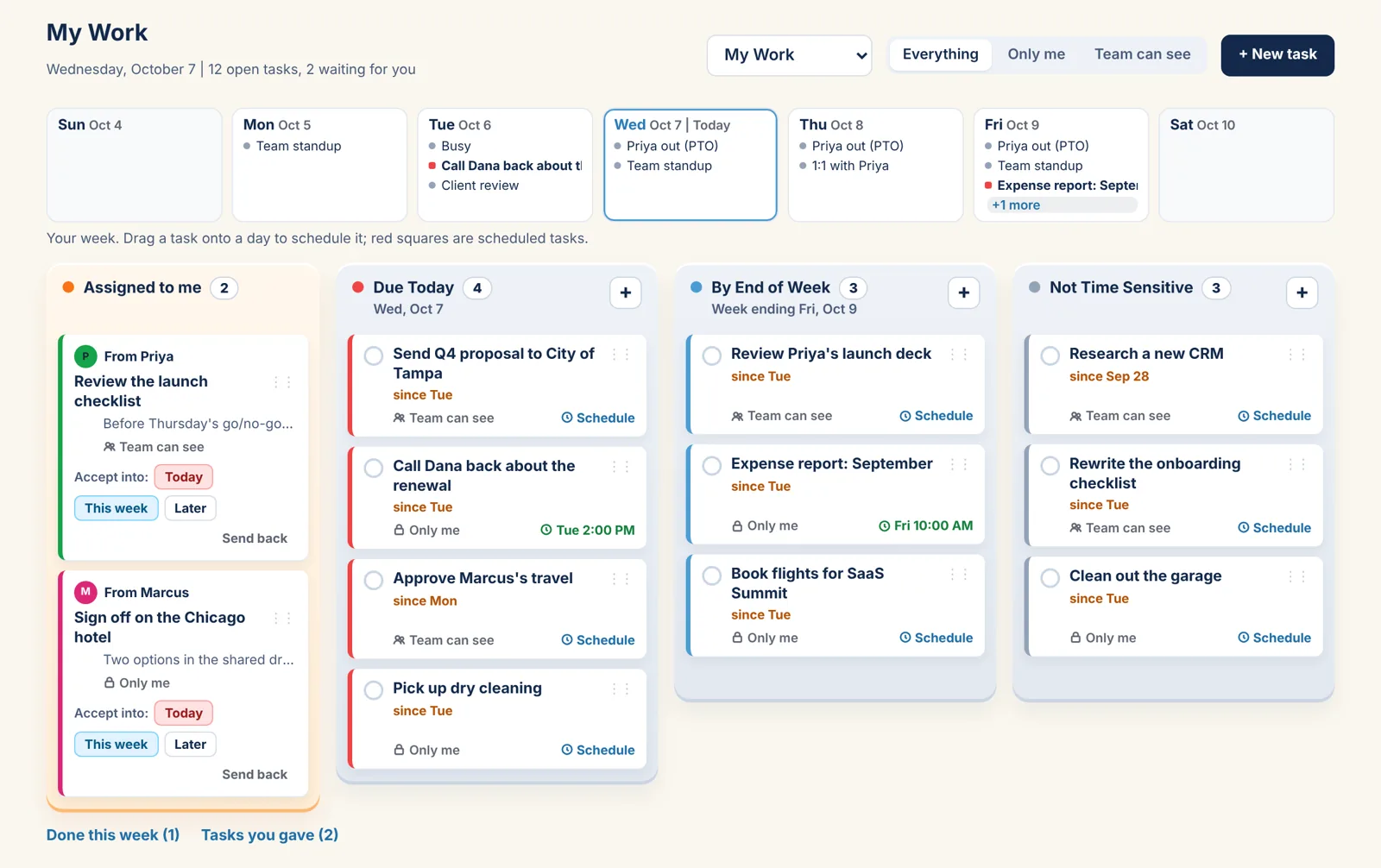
Due Today, By End of Week, Not Time Sensitive, Assigned to me.
Each task sits in one tray. The counts tell you how the day looks.
Only me, or Team can see
Your tasks are yours unless you share one. A shared task shows in the team's My Work too.
Onto your calendar
Drag a task onto a day in the week strip, pick a time, and it is a block on your calendar. Tick either one and both are done.
Done this week
Ticked tasks move out of the way but stay a tap away, with a search and the month's count.
Shared where it should be, private where it should be.
The shared calendar
See it, add to it, in your color.
Your own calendar
Yours. Mark an event private and the team sees Busy.
Outlook and Google
Bring your work calendar in, private to you, two-way if you like.
The Team plan.
Five days free for teams. Every plan has the Year, Month, Week and Day views, Outlook and Google sync, reminders, My Work and Daily To Do's.
Team
5 days free
- Your whole team, no limit on people
- Shared calendars
- My Work for everyone, tasks handed around
- Guests who can view
Your week, in four trays.
Coming soon. Five days free for teams.