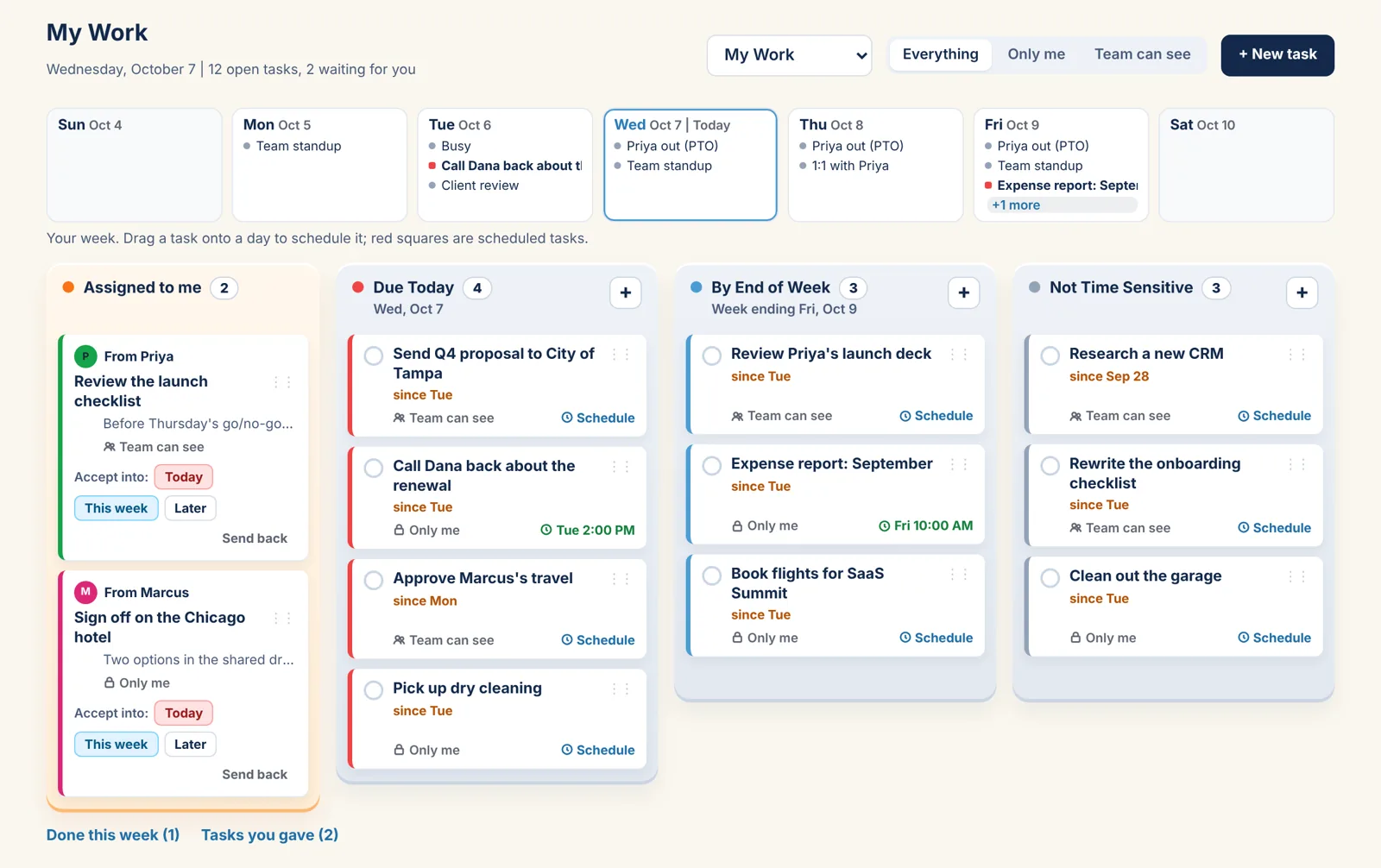
The team's year on one page. The week's work in four trays.
A Team account has no limit on people. Everyone sees the shared calendar, keeps their own, and gets My Work: four trays, tasks you can hand to anyone on the team, and a week strip to put them on the calendar. You run the account; up to two Owners can.
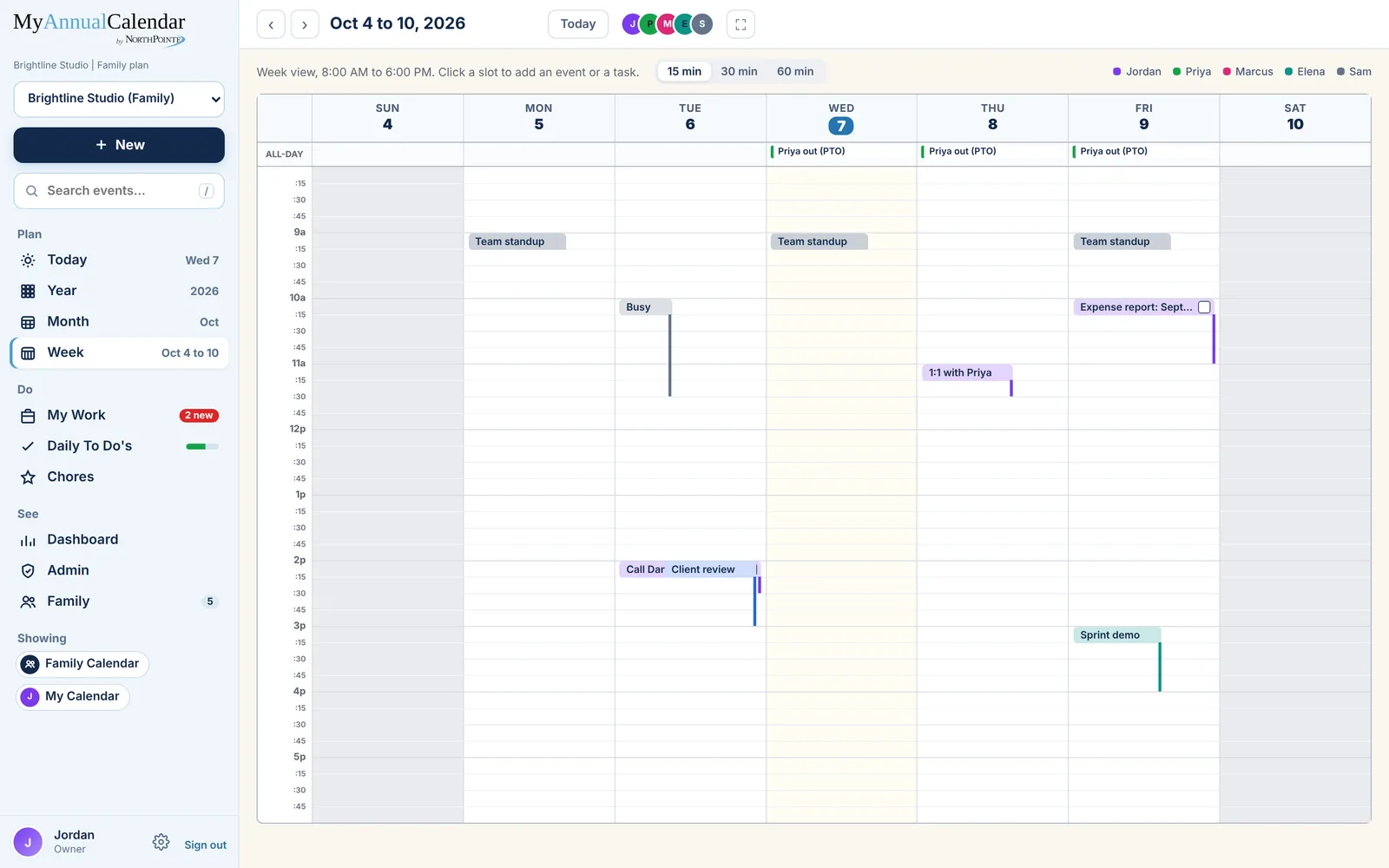
Who is where, this week.
The shared calendar is the team's: PTO, client days, the sprint demo. Everyone sees it and adds to it. Personal calendars stay personal, and anyone's private event shows the team "Busy".
- Shared calendars for the team; a personal one each
- Guests who can view: a client, a contractor, the board
- Outlook and Google sync, private to each person
Give a task. See where it stands.
Make a task for someone and it lands in their Assigned to me tray with your name on it. They accept it into Today, This week or Later, or send it back. You can see which, under Tasks you gave, without asking.
- Only me, or Team can see: your call per task
- Done this week, per person, on the Dashboard
- Waiting on others: the tasks you gave that are not done yet
What an Owner does.
People
Invite by email, remove, and make a second Owner. No limit on team members; guests can view.
Categories
Set the event categories the team tags with (Work, Client, Admin, your own), and the Dashboard adds up hours by category.
Billing
Five days free, then $25 a month through Paddle. Change the plan from Settings.
The Team plan.
Five days free for teams. Every plan has the Year, Month, Week and Day views, Outlook and Google sync, reminders, My Work and Daily To Do's.
Team
5 days free
- Your whole team, no limit on people
- Shared calendars
- My Work for everyone, tasks handed around
- Guests who can view
More under Teams: Team members | All plans
Put the team's year where everyone can see it.
Coming soon. Five days free for teams.