You haven't seen a calendar like this before.
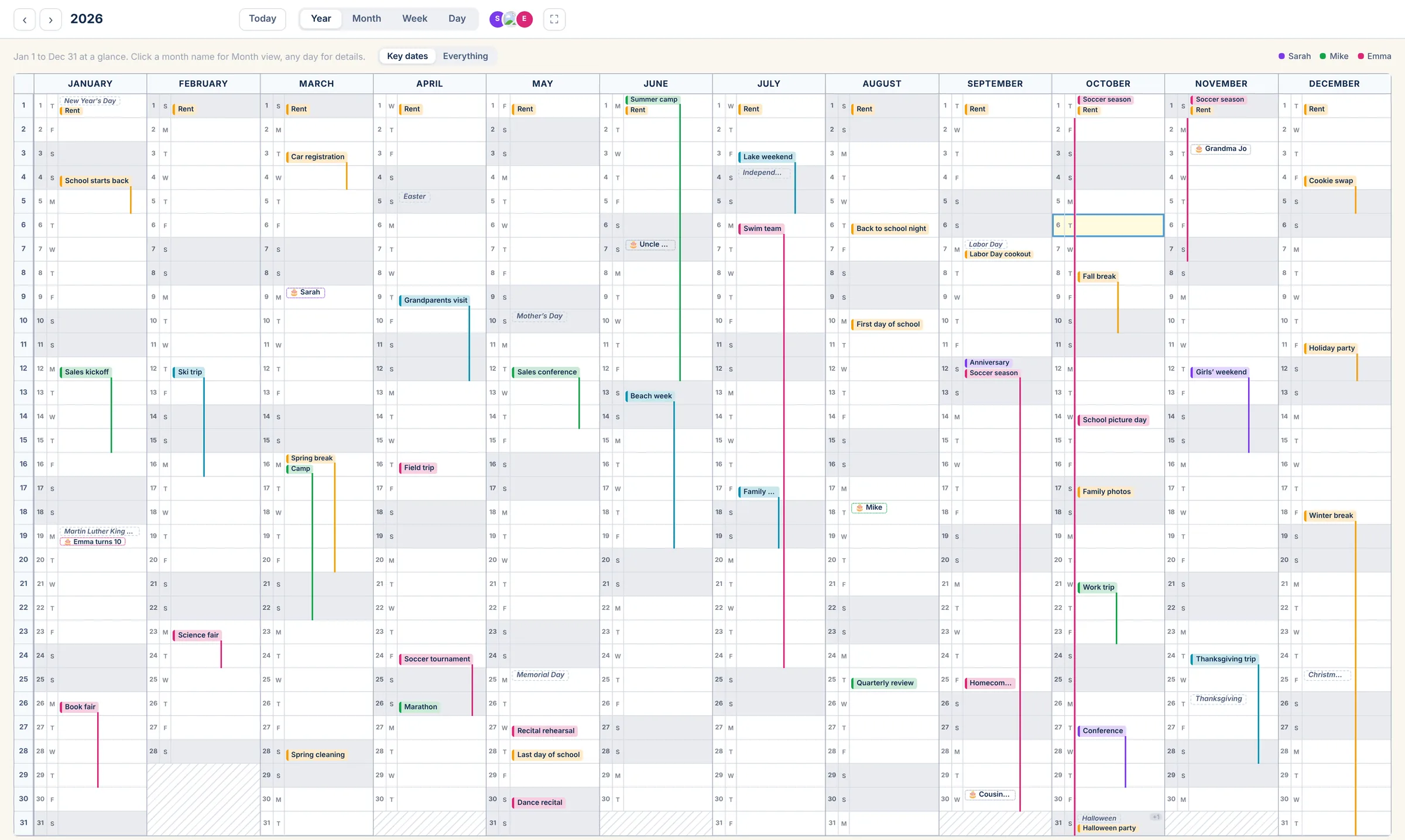
Get the big picture.
All twelve months on one page, like the planner on the wall, but it keeps itself up to date. Trips, breaks and birthdays stand out; the everyday stays out of the way until you want it.
Every task, in the right tray.
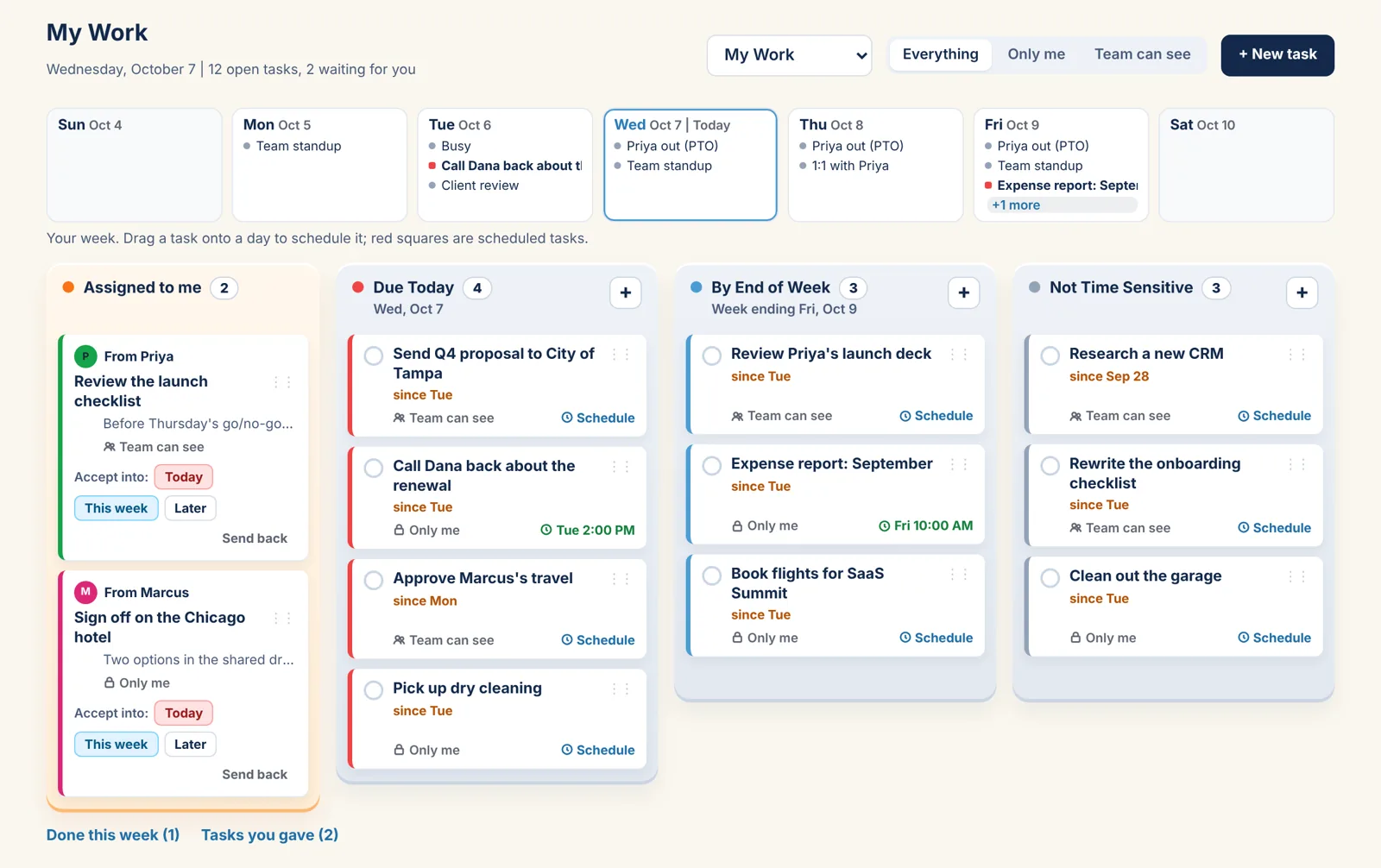
Not a to-do list that scrolls forever. Four trays, so what's due today is never buried under what can wait.
Four trays, one glance
Due Today, By End of Week, Not Time Sensitive, and Assigned to me. Each task sits in one tray, and the counts tell you how the day looks before you read a word.
Hand a task to someone
Give a task to anyone on the account. It lands in their Assigned tray, where they accept it into Today, This week or Later, or send it back with a note.
Drag it onto the calendar
Drop a task on a day in the week strip and it becomes a block on your calendar. Tick either one and both are done.
Only me, or shared
Every task is Only me unless you say otherwise. Share one with the family or the team and it shows in their My Work too.
On your day
What's due today sits beside your schedule in Day view, next to the weather and your Daily To Do's.
Done this week
Ticked tasks move out of the way but stay a tap away, so the week's work is easy to see on Friday.
Everyone's color. Everyone's year.
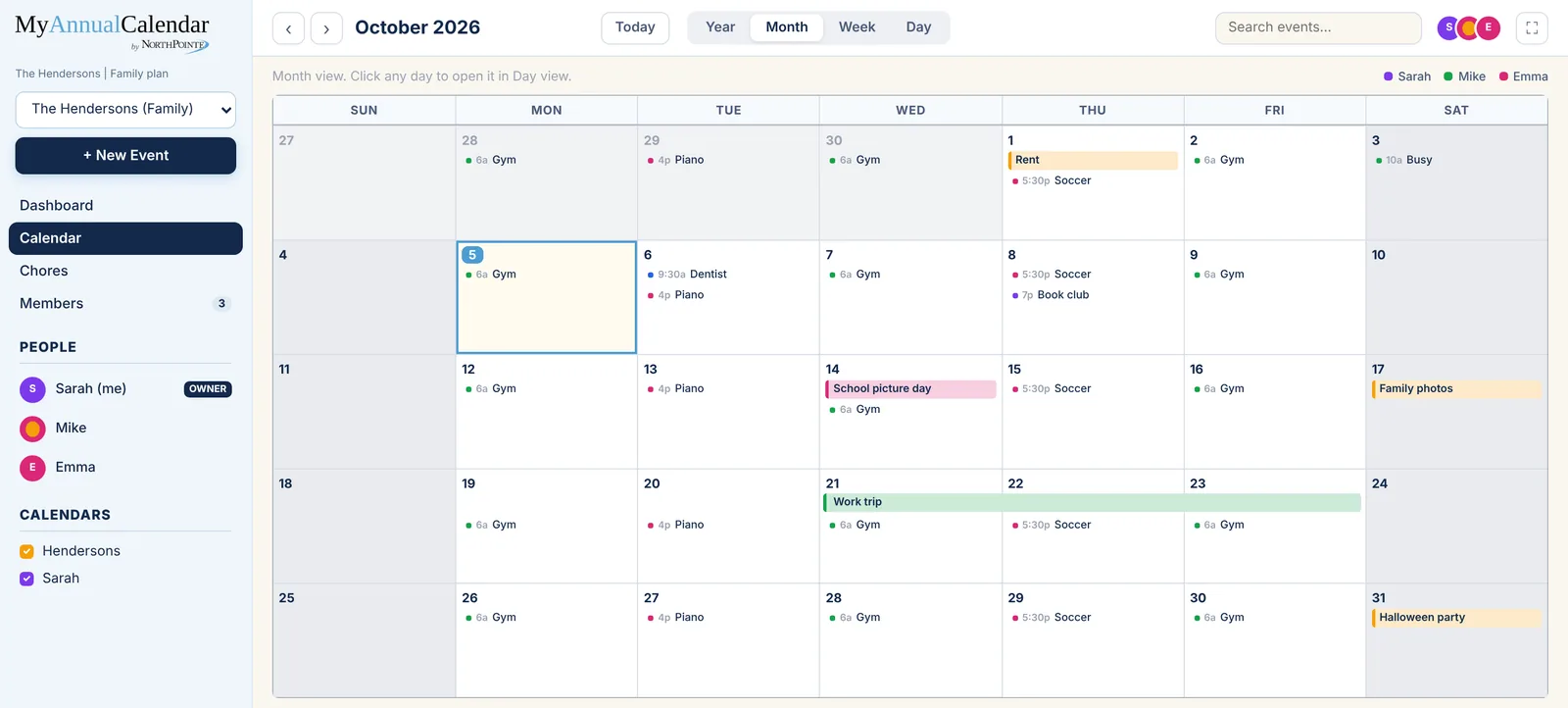
Practices, trips, birthdays and the dentist, on one calendar the kids can read and the grown-ups can run.
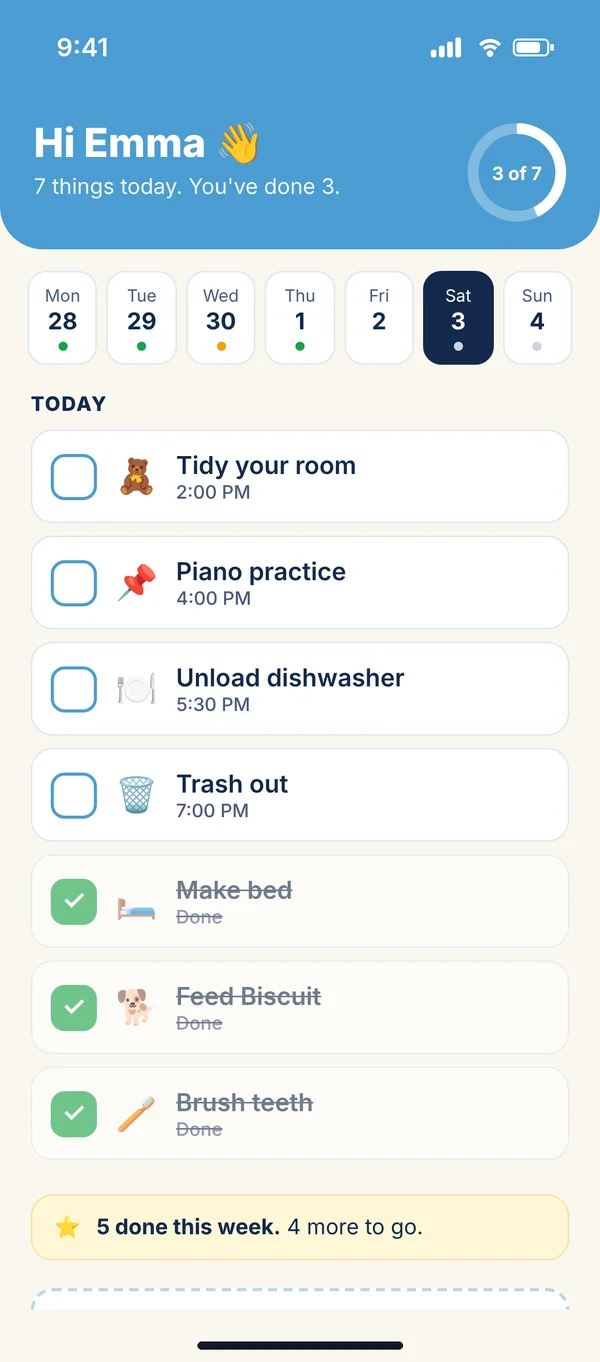
- Kids sign in with a name and PIN and see only their day
- A chores chart with checkmarks and weekly totals
- Your Outlook and Google calendars stay in sync both ways
- Birthdays with ages, and the holidays you choose
The whole year, where the whole team can see it.
Launches, travel, time off and deadlines on one page, and every task in My Work, so planning the quarter takes a glance instead of a meeting.
- Hand a task to anyone on the team; they accept it or send it back
- Up to 10 people, each with a color
- Shared calendars plus each person's own
- Private events stay private; others just see "Busy"
- Guests can view without editing
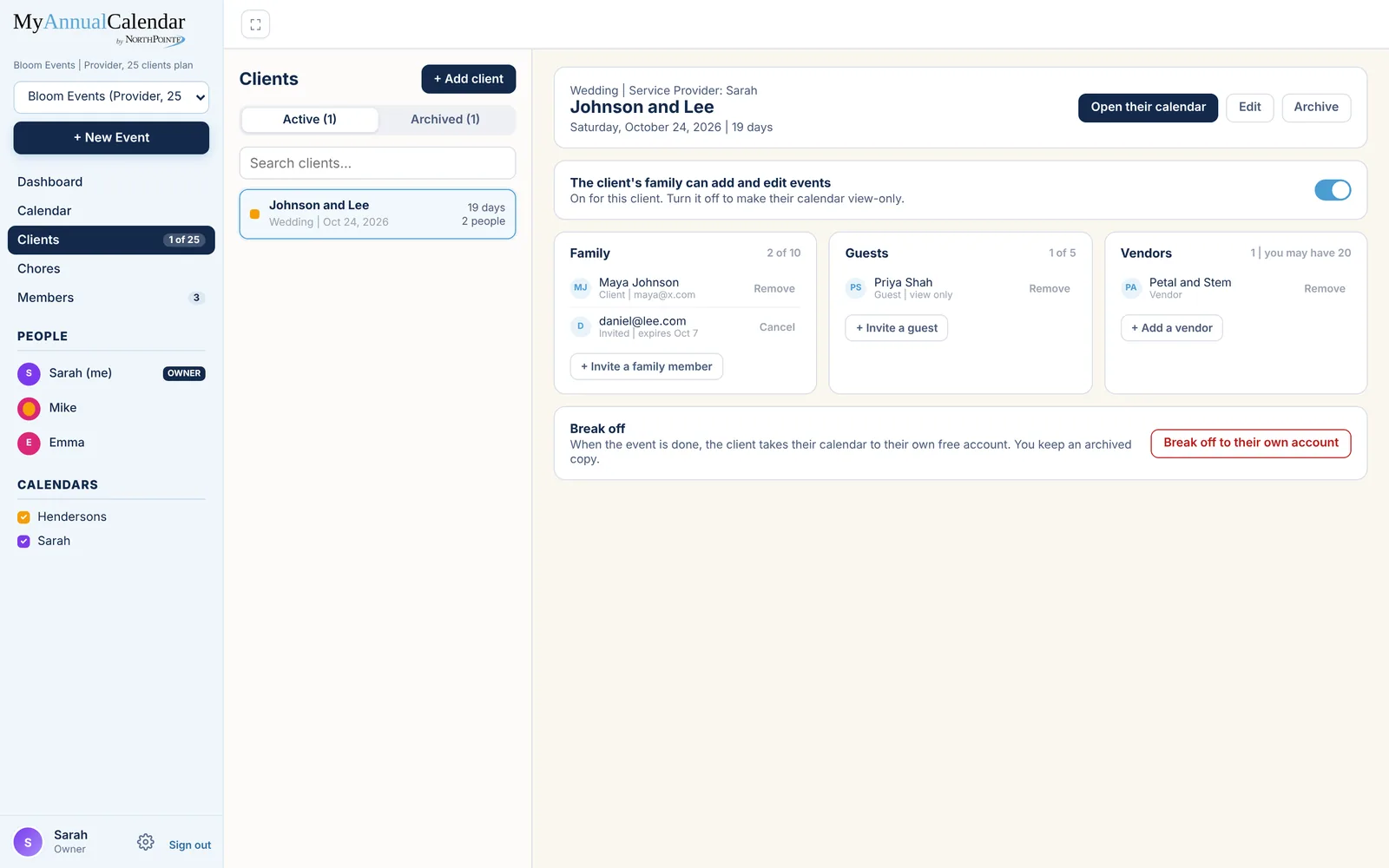
A calendar for every client.
Wedding planners, coordinators and other Entrepreneurs give each client their own calendar, then bring in the right people.
- Invite the client's family, guests and your vendors
- Choose whether the client's family can edit or just view
- Archive finished events and keep a copy
- When it's over, the client can take their calendar to their own free account
See your whole year. Live it one day at a time.
The wall calendar on the fridge, with the reminders, to-do's and weather it never had.
Private when it should be
Mark an event private and everyone else on the account sees "Busy" instead of the details.
Two-way Outlook and Google sync
Add it here or there and it shows up in both. Choose which calendars come in and where each one lands.
Daily To Do's with streaks
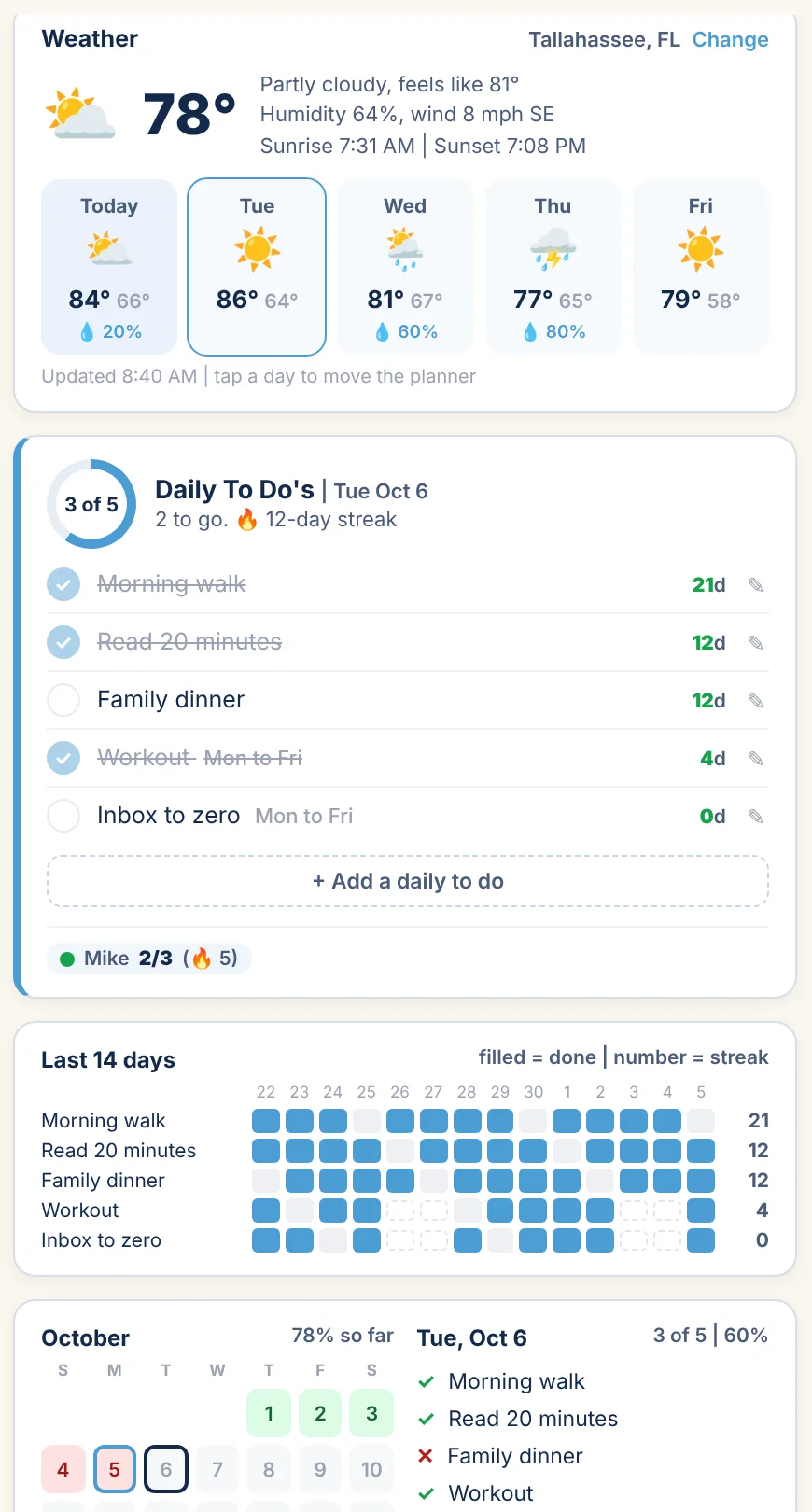
The few things you mean to do every day, checked off next to your schedule, with a streak to keep you honest.
Reminders on your phone
Phone alerts before the things that matter, right on your lock screen.
Weather on your day
Today's forecast and the next few days, right beside the planner, for the city you choose.
Birthdays and holidays
Ages worked out for you, the holidays you pick, and an import from Google or Outlook to get started.
Plan the year. Win the day.
Day view puts your schedule next to the weather, your Daily To Do's and what's due today from My Work, with the last two weeks of check-offs underneath.
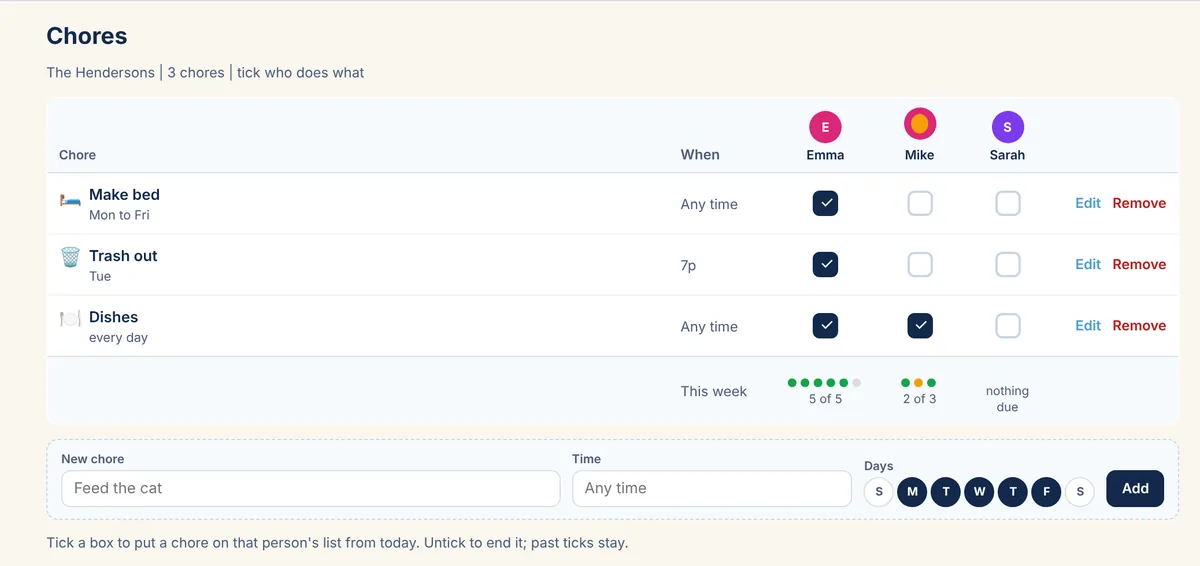
Who does what, settled.
Tick a box to put a chore on someone's list. Kids check it off on their own phone or tablet, and you see the week at a glance.
Simple plans. Five days free.
Every plan includes the year view, Outlook and Google sync, reminders and Daily To Do's.
Individual
Forever
- Just you
- Outlook and Google sync
- Daily To Do's and weather
Family
5 days free
- Up to 10 people
- Kids' accounts with a name and PIN
- Chores chart
- Shared calendars
Entrepreneur
5 days free
- Unlimited clients
- A calendar per client
- Client family, guests and vendors
- Your whole team, no limits
Questions
Is there really a free plan?
Yes. The Individual plan is free for one person, with the year view, Outlook and Google sync, reminders, Daily To Do's and weather. Upgrade when you want to bring other people in.
Do I have to stop using Outlook or Google Calendar?
No. Connect either one (or both) and events flow both ways. You choose which of your calendars come in and which calendar here each one lands in.
How do kids sign in?
On the Family plan, a parent sets up each child with a name and PIN after giving parental consent. Kids see only their own day: their events and chores, with big checkboxes. They don't need an email address.
Can I get alerts on my phone?
Yes. Open MyAnnualCalendar on your phone and add it to your home screen, then turn on alerts in Settings. On iPhone, alerts work once it's added to the home screen.
Who can see my events?
Only the people on your account, and only the calendars they're allowed to see. Mark an event private and others see "Busy" instead of the details.
How does billing work?
Paid plans start with 5 days free. Payments are handled by Paddle, our reseller, and you can change plans from Settings.
Put the whole year where everyone can see it.
Coming soon. Free for one person. Five days free for families, teams and Entrepreneurs.